

Is Your Portland Home Theater Room Ready for Game Night?
Set Up the Room So Everyone Gets the Best Seat in the House
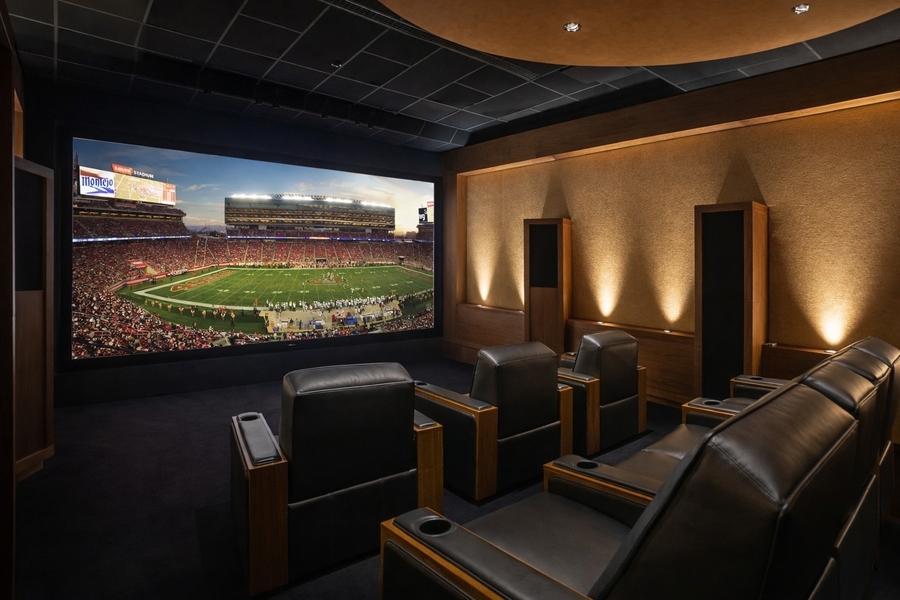
A rainy Portland weekend is a good excuse to have friends over for the game, and your home theater room is the natural place to watch it. If your theater was designed for an immersive movie night, though, it can struggle with a crowd. The back row misses part of the screen, and the announcers get lost under a dozen conversations. Then someone asks which remote turns up the sound.
A few adjustments and one saved smart scene can fix most of that. Below, we explore how to turn a room built for a few into one that hosts a full house, and how one Watch Party button sets it all up.
SEE ALSO: Home Theater Design Trends to Watch
Make Every Seat a Great Seat
Sightlines are the first thing a crowd tests. Many screens lose contrast and color when viewed from a steep side angle, so the seats at the edge of the room see a weaker picture than the center.
Raised or staggered seating and a display sized for the room give everyone a clear line of sight to the screen. It also helps to sit in every seat once before guests arrive. A quick walk-through shows whether a lamp or a piece of furniture blocks the view, and whether people can still turn and talk to each other at halftime.
Sports Need a Different Setting Than Movies
Movie mode favors a dim room and a warm, film-like image. Sports demand higher brightness and settings built for fast action and reduced motion blurring. Saving a separate sports setting for your display means you switch once and never touch the picture menu again.
Enhance the Lighting for More Exciting Gatherings
A movie calls for a dark room, but game day demands enough light to see the snacks and the people sitting next to you. With Lutron lighting and motorized shades on the same smart home system, a Watch Party scene can hold the lights at a comfortable level and lower the shades to cut glare.
Lights near the screen can be set lower than the seating lights because a bright lamp beside the display washes out the picture. The Movie Night scene does the opposite, so each activity gets the room it needs for the best performance.
Sound Should Put You in the Stadium
Sports broadcasts carry the commentary in the center speaker and the crowd noise in the surrounding speakers. When the center speaker sits too low in the mix, you lose the announcers, and a room full of talkers and cheering sports fans makes it worse. A quick check of speaker levels brings the voices forward while the crowd stays around you.
Subwoofer settings for movie explosions can overpower a broadcast, so a lower setting, reserved for sports, keeps the rumbling crowd in the background where it belongs.
Check the Basics Before Guests Arrive
Some of the best prep takes just a few minutes. Update the firmware on your streaming players and display regularly, then confirm that every sports app is still signed in. Big games can land on a different app than the usual broadcast, so a dead login at game time is easy to avoid with just a bit of planning.
One Button for Watch Party Night
The best tune-up is the one nobody has to remember. We program preset scenes like Watch Party based on how you use the room, and our factory-trained technicians stay with the system after installation. Imagine powering on the display and audio, then setting the lights and shades, all from a single keypad press or a tap in the app. Watch Party and other scenes can also pick the right streaming source. Guests arrive, someone presses one button, and the game is on.
Are You Ready for Game Night?
Eighteen Group can help homeowners across the Portland, OR, area get their home entertainment spaces ready for the next gathering. Contact our team here to book a home theater tune-up, or start a live chat below.