

Why Does Your Portland Home's Wi-Fi Slow Down at the Worst Moment?
Discover How a Wired Network Keeps Every Room Fast and Connected
Paying for fast internet services every month does not guarantee high-speed Wi-Fi in every room of the house. A gigabit plan can still leave the upstairs office buffering because the signal has to travel through plaster walls and floors from a router hidden away in a closet. Meanwhile, 4K streaming and video calls now share the network with dozens of smart devices. If you’ve never considered your home network design, then it’s time to readdress your setup.
A network designed around your home solves these issues by design. Keep reading to learn how a wired network provides a fast, reliable connection and why your smart home depends on it, too.
SEE ALSO: Wired for Success: Your Professional Home Network Setup Guide
Why is Fast Internet Still Slow in Some Rooms?
Your internet plan sets the speed coming into the house. Wi-Fi is the last leg of the trip, a radio signal that weakens with every wall and floor in its path. One router in a central closet can only reach so far.
Portland's older neighborhoods add a wrinkle. In Irvington and Eastmoreland, plaster-and-lath walls can weaken a signal more than modern drywall does. In newer, larger builds in Bethany and West Linn, the challenge is square footage: more rooms and more floors than a single router was designed to cover.
Wired Access Points Put the Signal Where You Need It
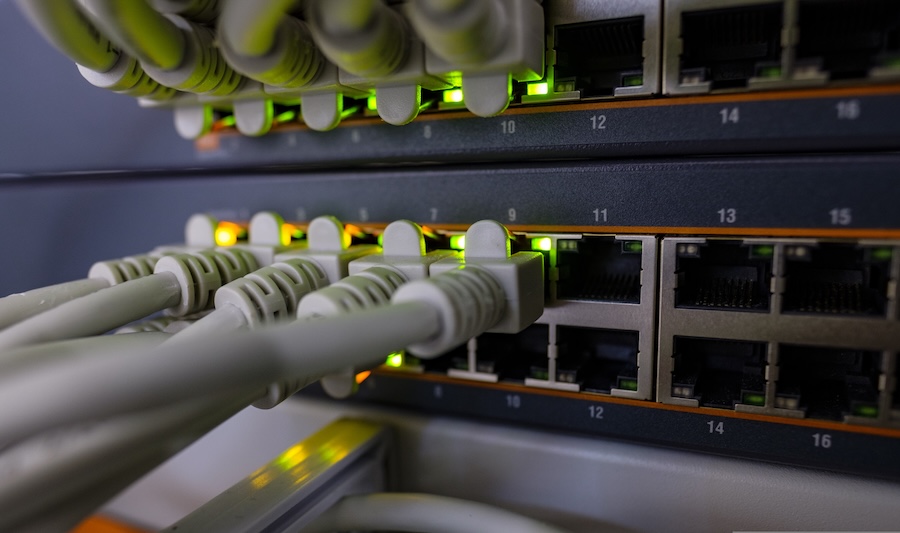
A professionally designed network places several access points around the house, usually in ceilings, and connects each one to a central equipment closet with a network cable. That cable carries both data and power, so each access point needs only a single connection.
An access point near the front entry gives a video doorbell, which often sits at the edge of coverage, a steady signal for live video the moment someone walks up. Because each access point has its own wired connection, you avoid the slowdowns that come from extenders passing data along wirelessly; the cable carries the heavy lifting back to the closet.
Where each access point goes is a design decision. A walkthrough maps where you use devices most, such as the home office, the kitchen island, the media room, and outdoor areas, so coverage follows your routines as well as the floor plan.
Plan the Network Before the Walls Close
The easiest time to run network cable is during new construction or a remodel, when walls and ceilings are already open. That is also when the equipment closet gets sized with room to grow, so the network keeps up as you add devices. Adding a wired connection at the TV wall or out on the patio at that stage costs far less than opening finished walls later.
In an existing home, cable can often follow paths through attics and crawlspaces to reach ceiling locations with minimal patching. Either way, it is worth planning the network with the same care as the lighting and audio it will support.
Your Smart Home Depends on the Network
Your Control4 system and your Lutron lighting and shades take their cues from the network, and so do your streaming players. The apps and scenes that tie them together slow down when the network does, so a Movie Night scene lags, or the app stops responding.
The fix is to give permanent devices a wired connection. TVs and streaming players can connect via a network cable, freeing Wi-Fi for phones and laptops. The smart home runs discreetly in the background without a second thought.
Let's Get Your Network Up to Speed
If dead zones or buffering have become a regular part of your day, a network uniquely designed for your Portland-area home can fix them at the source. Book a network audit with Eighteen Group today.